

 Preview unavailable. Open the source below.
- Works with
- Shopify, Browser / upload
- How it connects
- Native integration · Upload & export · API connection
- Availability
- AvailableCore tools available; connector availability varies.
Is it right
for your store?
Fit matters more than a feature count.
A useful shortlist choice when product editing and Shopify publishing belong in one workflow. Compare the Max plan for that job: Pro is a lower-cost editing entry point and does not include the Shopify connection.
Research checked · Based on published sourcesA good fit for
- Growing Shopify catalogs needing consistent imagery
- Teams combining cleanup, scene generation and resizing
Look carefully if
- Expecting Shopify publishing on Pro
- Needing two-way Shopify image synchronization
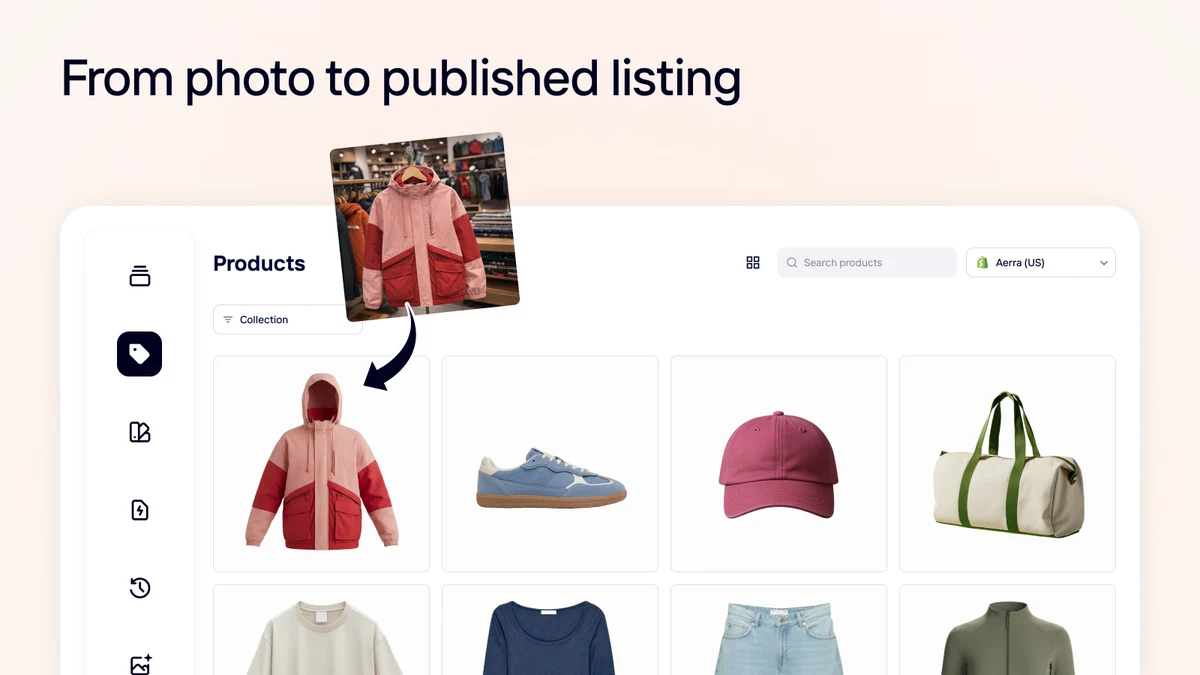
Removes backgrounds, generates product scenes and fashion imagery, and retouches, resizes and standardizes catalog visuals. Web and mobile upload/export. Native Shopify catalog publishing requires Max or Ultra. API is separate; other marketplace publishing is described as coming soon.
Documented strengths
- Editing, backgrounds and catalog preparation in one product
- Documented native Shopify publishing on Max and Ultra
What it
can do.
Coverage and conditions, side by side.
Product imagery
Background removal
Batch processing
Direct catalog publishing
Native Shopify publishing is one-way; not included in Pro.
Required plan Max or Ultra
Source : Direct catalog publishingAPI access
API is separate from app plans.
Required plan Separate API plan
Source : API accessVideo generation
Video is excluded from Pro.
Required plan Eligible higher plan
Source : Video generationWhat the
price buys.
Starting prices are only part of the bill.
The Australian web view lists Pro at A$19.99/month and Max at A$54.99/month. Prices and allowances vary by region and purchase platform. The pricing table lists 8,000 Pro AI credits and 1,000 monthly exports. The July export guide confirms finite limits; an older plans overview still says unlimited. Check your Space before purchase. API is separate.
- Charged by
- AI credits + exports
- Commitment
- Monthly; regional web price checked 4 October 2026
- Required plan
- Pro; Max required for Shopify
Checked Oct 4, 2026. Usage, add-ons and taxes may change the total.
Plans and
practical questions.
Worked examples are planning scenarios, not measured product results.
Where it
fits in.
Check the connection your workflow needs.
Shopify
Max or Ultra; one-way publishing overwrites the live catalog. Shopify edits do not sync back.
Any storefront
Web/mobile image upload and export.
Custom workflows
API is separately purchased.
Browser-based tools can support a Shopify workflow without a native Shopify integration. Connection methods reflect the documented workflow.
The details
that matter.
Limits are part of choosing well.
Pro excludes Shopify and video. Shopify publishing is one-way: it overwrites the live catalog, while Shopify-side edits do not sync back.
The quoted example is Australian web pricing in AUD, not a worldwide or USD offer. Exports and AI credits are separate limits; confirm the allowance in your Space.
This profile is based on published sources. No independent test record is published for this profile. “Not confirmed” means the available evidence has not established the claim.
- Pricingwww.photoroom.com
- Catalog integration and syncwww.photoroom.com
- Official price tablewww.photoroom.com
- Free accounts and commercial usehelp.photoroom.com
- Export limits — July 2026 guidancehelp.photoroom.com
- Earlier plans overview — May 2026help.photoroom.com
Material changes can happen between reviews. Confirm current capabilities, plans and terms with the vendor.
Other tools to consider.

Simple product scenes from an uploaded photo
US$9/month
Product scenes, enhancement and automation options
Confirm current web price
Product scenes and batch photo editing in a browser
$10/month for Pro